How to Install IPTV on Chromecast
Stream IPTV to your TV with Chromecast using the BubbleUPnP app. Connect to the same WiFi, load your M3U playlist, and cast live channels from your phone.
Chromecast is a compact device that plugs into your TV’s HDMI port and is powered by an included USB cable. Using Google Cast, it lets you stream content from a smartphone or computer to your TV, including services like Netflix, YouTube, and Hulu. With the BubbleUPnP app, you can also cast live IPTV channels from an M3U playlist.
What you need
- A Chromecast plugged into your TV
- A smartphone with the BubbleUPnP app installed
- Your M3U playlist file from your IPTV provider
- Both devices on the same WiFi network
How to set up IPTV on Chromecast
- Connect to the same WiFi. Confirm that your smartphone and Chromecast are connected to the same WiFi network.
- Open BubbleUPnP. Turn on the TV with the Chromecast plugged in, then open the BubbleUPnP app on your phone.
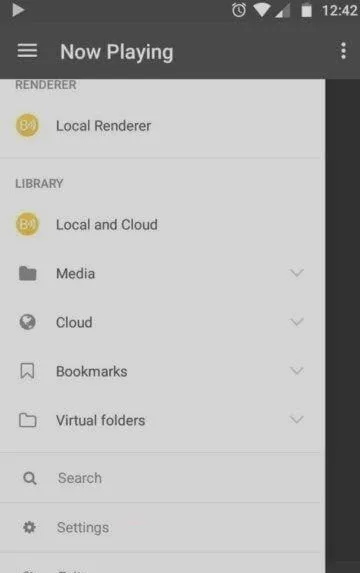
- Select your Chromecast. Open the left-side menu in BubbleUPnP and select your Chromecast so the app knows where to send the stream.
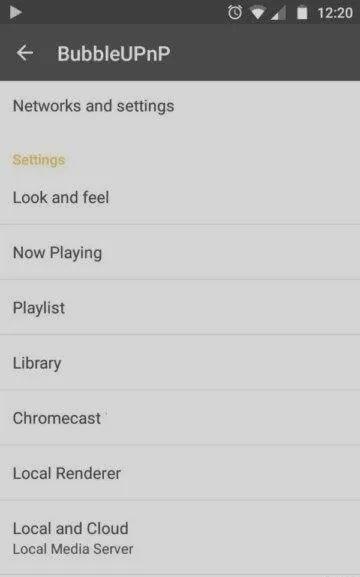
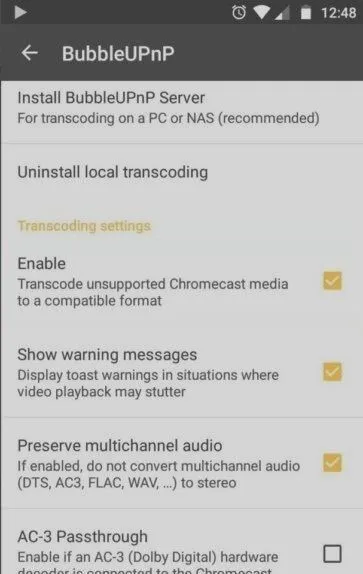
- Install the transcoder and codecs. Go to the app settings, open the Chromecast section, install the local transcoding components, and enable transcoding. This lets Chromecast play stream formats it does not support natively.
 5. Load your M3U playlist. Download your M3U file and copy it to your phone’s internal storage. In BubbleUPnP, go to Library → Internal storage and open the M3U playlist file.
6. Cast your channels. Select any channel from the list to begin casting it to your Chromecast.
5. Load your M3U playlist. Download your M3U file and copy it to your phone’s internal storage. In BubbleUPnP, go to Library → Internal storage and open the M3U playlist file.
6. Cast your channels. Select any channel from the list to begin casting it to your Chromecast.
Tip: If a channel buffers or fails to play, double-check that transcoding is enabled — many IPTV streams require it to work smoothly on Chromecast.
Frequently asked questions
Why use BubbleUPnP instead of casting directly?
Chromecast cannot open M3U playlists on its own. BubbleUPnP loads the playlist, transcodes the streams when needed, and casts each channel to your Chromecast.
Can I cast from a computer too?
Yes. Google Cast also works from a computer, but the BubbleUPnP workflow described here is the simplest way to load an M3U playlist and cast IPTV channels from a phone.