
How to Install IPTV on Kodi
3.8Set up IPTV on Kodi using the PVR IPTV Simple Client add-on. Add your M3U playlist and EPG to stream live channels on any Kodi-supported device.
Kodi is a free, open-source media player that works as a complete digital media center. It lets you play and cast content across many devices, including Android, Windows, Linux, iOS, Amazon Fire TV, Apple TV, Xbox, Raspberry Pi, and desktop PCs. With the built-in PVR IPTV Simple Client add-on, you can also stream live IPTV channels using an M3U playlist.
This guide walks you through configuring Kodi for IPTV from start to finish.
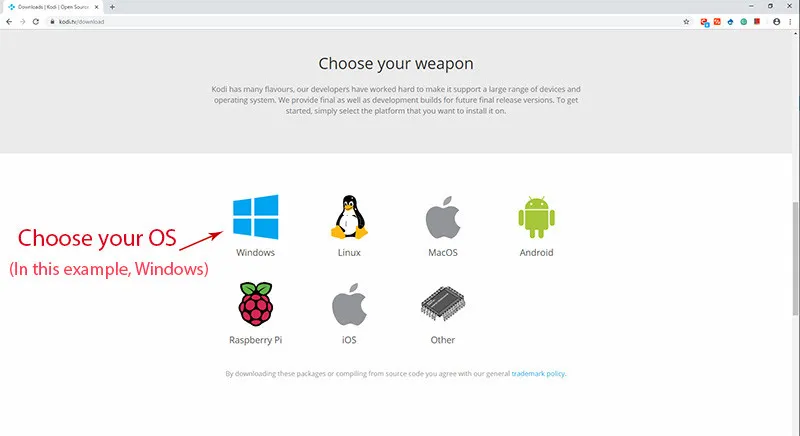
What you need
- A device running Kodi
- An M3U playlist URL from your IPTV provider
- An EPG (XMLTV) URL if you want a program guide (optional but recommended)
How to set up IPTV on Kodi
- From the Kodi home screen, open the Add-ons menu.
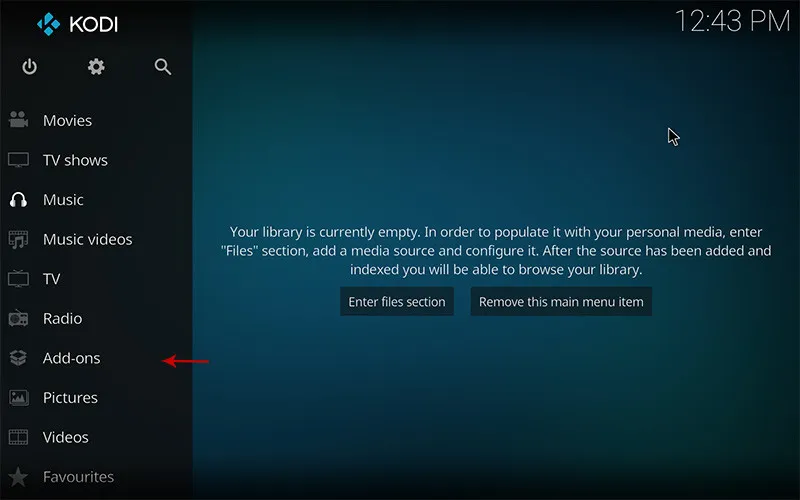
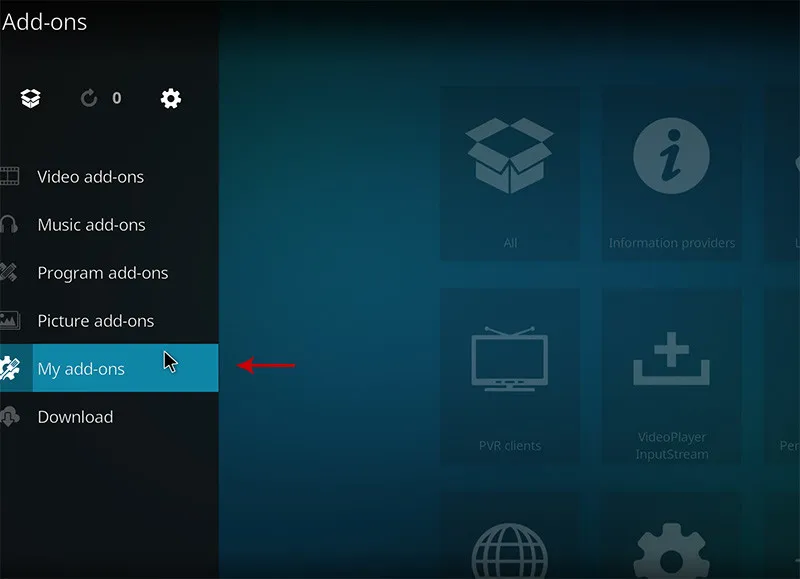
- Select My add-ons to view your installed add-ons.
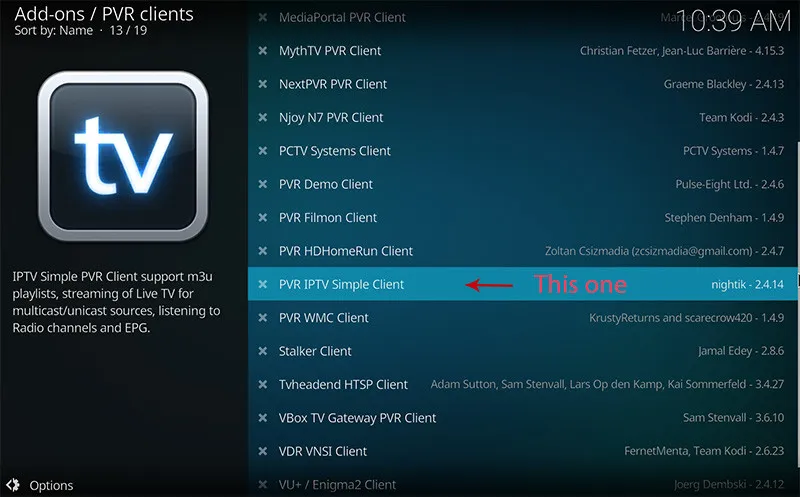
- Open the PVR Clients category.
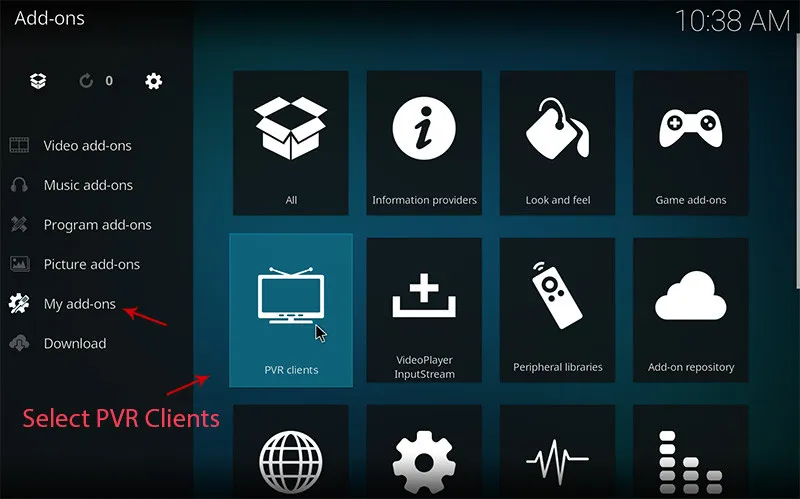
- Select PVR IPTV Simple Client, the default add-on for live IPTV channels.
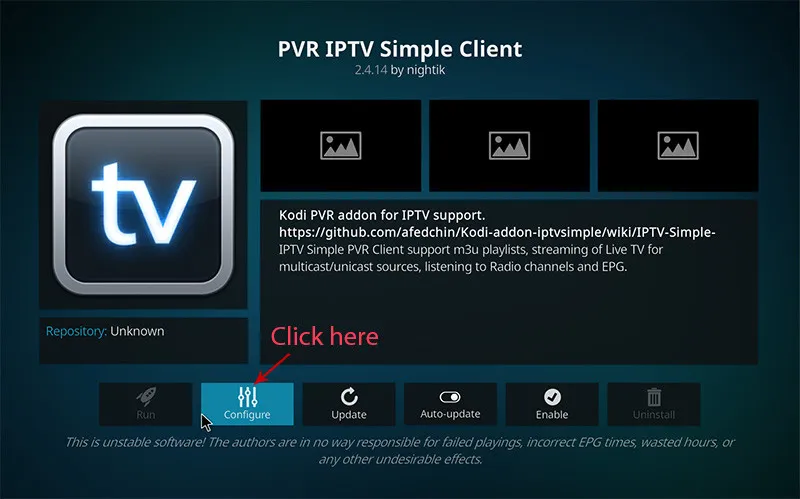
- Click Configure to open the add-on settings.
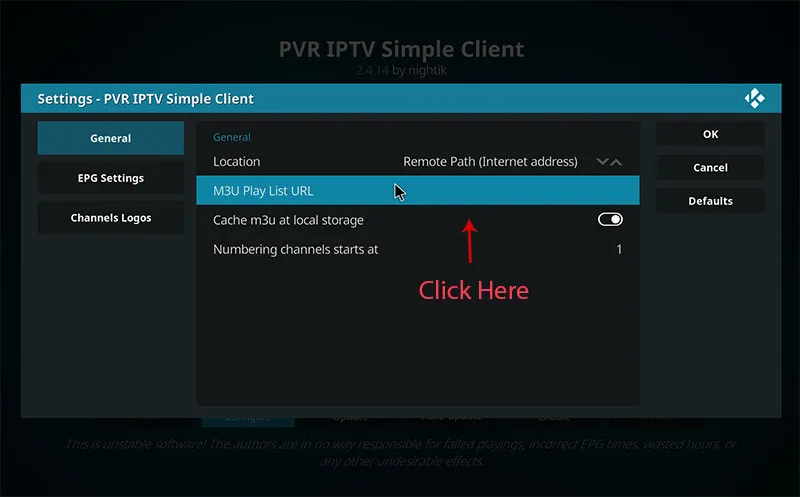
- In the General tab, set the location to Remote Path (Internet address) so your channel list always stays up to date.
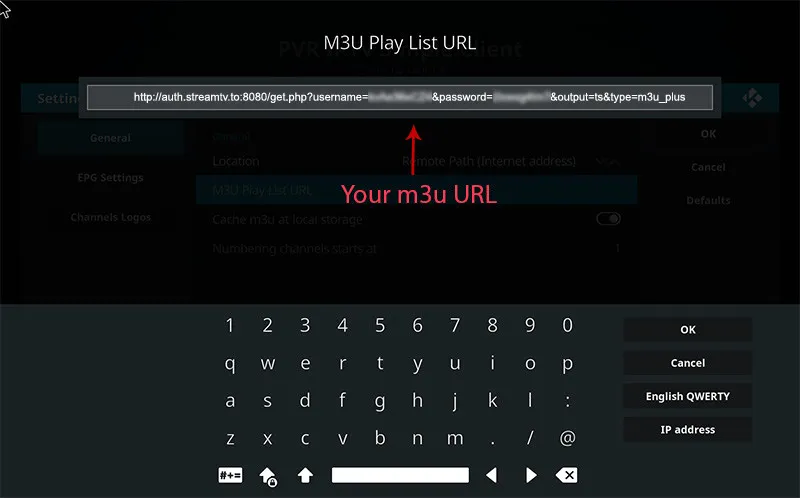
- Select M3U Playlist URL and paste the link provided by your IPTV provider.
- Switch to the EPG Settings tab and select XMLTV URL.
- Paste your EPG URL so Kodi can display the program guide.
- Save the settings and enable the PVR IPTV Simple Client if it is not already active.
- Return to the home screen and open TV or Channels to view your channel groups.
- Wait for the on-screen notification confirming that your channels have finished loading.
Tip: If you change your playlist later, restart Kodi (or reload the add-on) so it fetches the updated channel list.
Frequently asked questions
How do I find my EPG?
You can usually extract the EPG URL from your M3U link, or simply request it from your IPTV provider. Adding the EPG enables the full program guide inside Kodi.
What if no channels appear?
Confirm the add-on is enabled, double-check that your M3U URL is correct and active, and reload the add-on. A working playlist combined with the EPG URL should populate your channel list within a few seconds.