
How to Install IPTV on Perfect Player
3.9Set up IPTV on Perfect Player for Android and Windows. Add your M3U playlist, enable channel groups, and fix buffering with the right decoder settings.
Perfect Player is one of the most advanced IPTV players available, with a wide range of customization options. It’s built around M3U playlists, so you simply add your M3U link in the settings and the app loads your channels. Perfect Player is available for Android and Microsoft Windows. The app is free and ad-supported; removing the ads requires the premium version.
How to set up Perfect Player
Step 1 — Open Settings
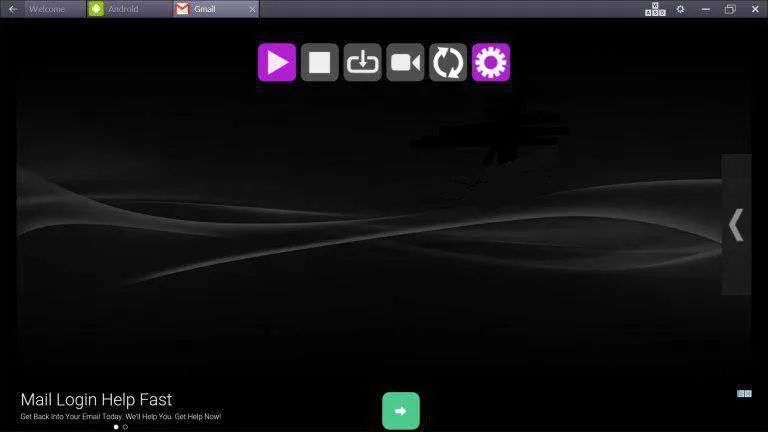
After installing the app, open it and select Settings (the gear icon) from the main menu toolbar.
Step 2 — Add your M3U playlist
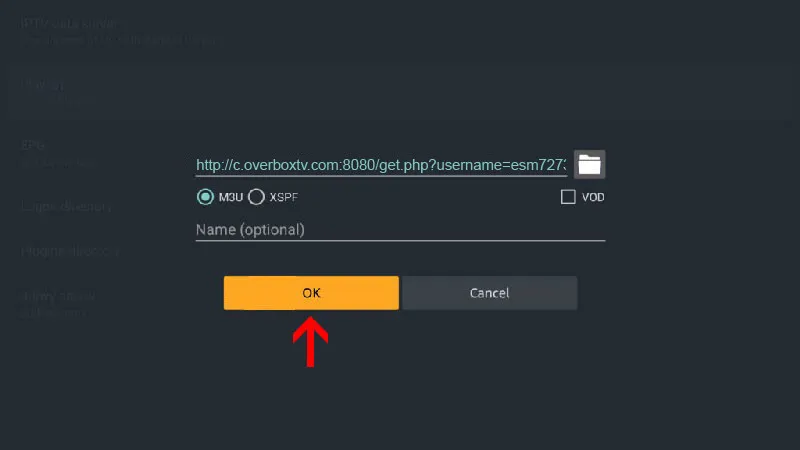
Go to General > Playlist and paste your M3U link into the URL or File path field, then confirm.
Step 3 — Enable channel groups (recommended for large playlists)
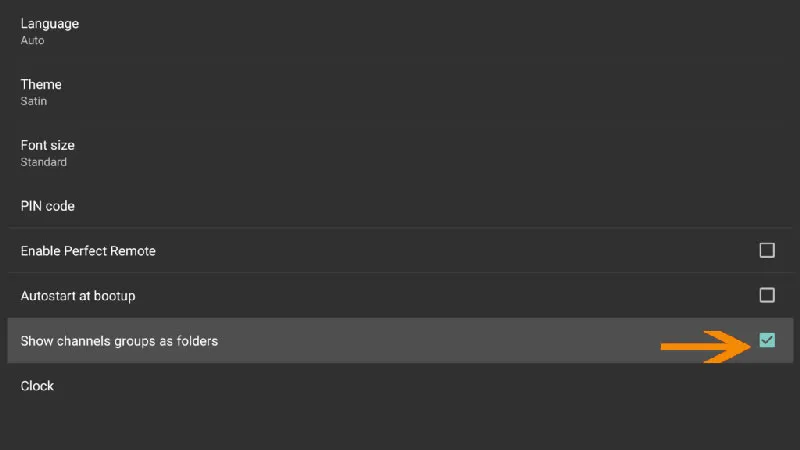
If your playlist contains a lot of channels, go to Settings > GUI and turn on Show channel groups as folders. This organizes your content into folders by category so it’s far easier to navigate.
Step 4 — Load your channels and VOD
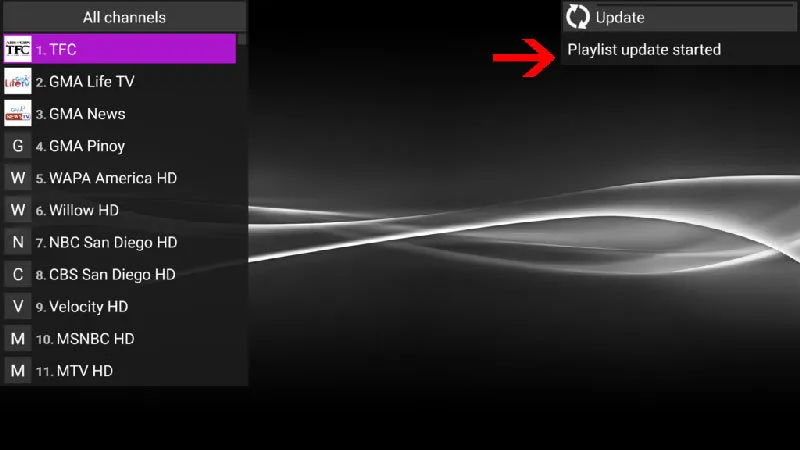
Return to the main screen. Your live channels and Video on Demand (VOD) content update and populate automatically.
Fixing playback and buffering issues
If a stream stutters or won’t play smoothly, adjust the decoder and buffer in the playback settings:
- Decoder — choose Auto (recommended), HW+, Hardware, or SW. Use SW if you’re on a slow or unreliable connection.
- Buffer — increase the buffer size from 1 (smallest) up to 4 (largest) to reduce interruptions.
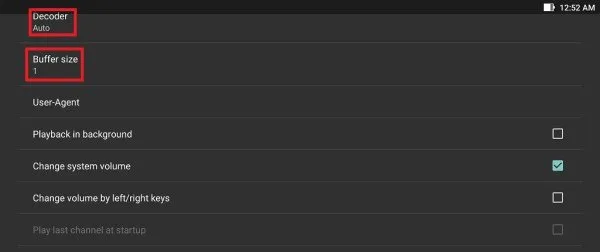
Tip: Start with the Auto decoder and only switch to a different mode if you still see buffering or playback errors.
Frequently asked questions
Which devices can run Perfect Player?
Perfect Player runs on Android and Windows. The free version shows ads, which you can remove by buying the premium upgrade.
How do I reduce buffering?
Open the playback settings, switch the decoder (try Auto first), and raise the buffer size toward 4. On a slow connection, the SW decoder is often the most reliable.
Can I organize my channels into categories?
Yes. Enable Show channel groups as folders under Settings > GUI and the app will group your channels into folders automatically.