How to Install IPTV on GSE Smart IPTV
3.7Install GSE Smart IPTV on iOS, Android, macOS, and Fire TV. Add your Xtream Codes login or M3U URL, load EPG, record channels, and cast to Chromecast.
GSE Smart IPTV is a complete, user-configurable IPTV solution that runs on iOS, Android, and more. It includes a powerful built-in player that supports most formats, including M3U playlists and the Xtream Codes platform.
Download GSE Smart IPTV
- Android: Google Play
- iOS: App Store
- macOS: Mac App Store
- Amazon Fire TV: download from
gsesmartiptv.com/dlgseiptv.php
How to set up GSE Smart IPTV with Xtream Codes
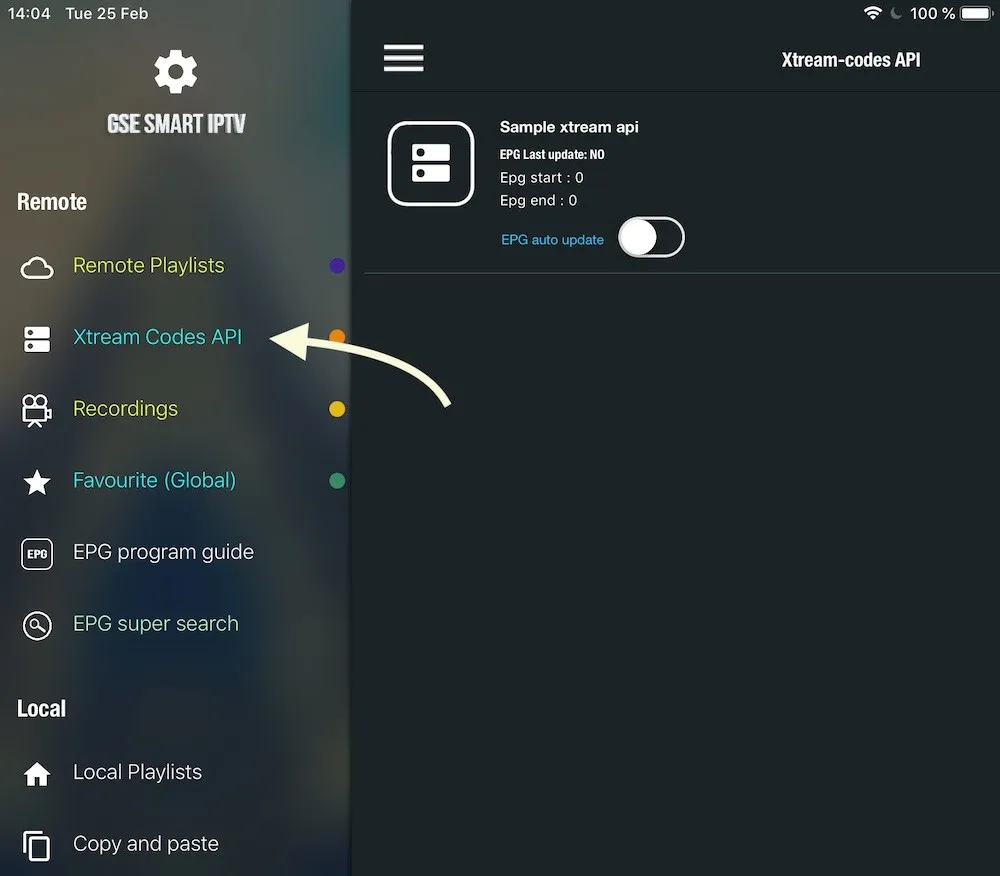
Step 1 — Open the Xtream Codes API section
From the app menu, open Xtream Codes API.
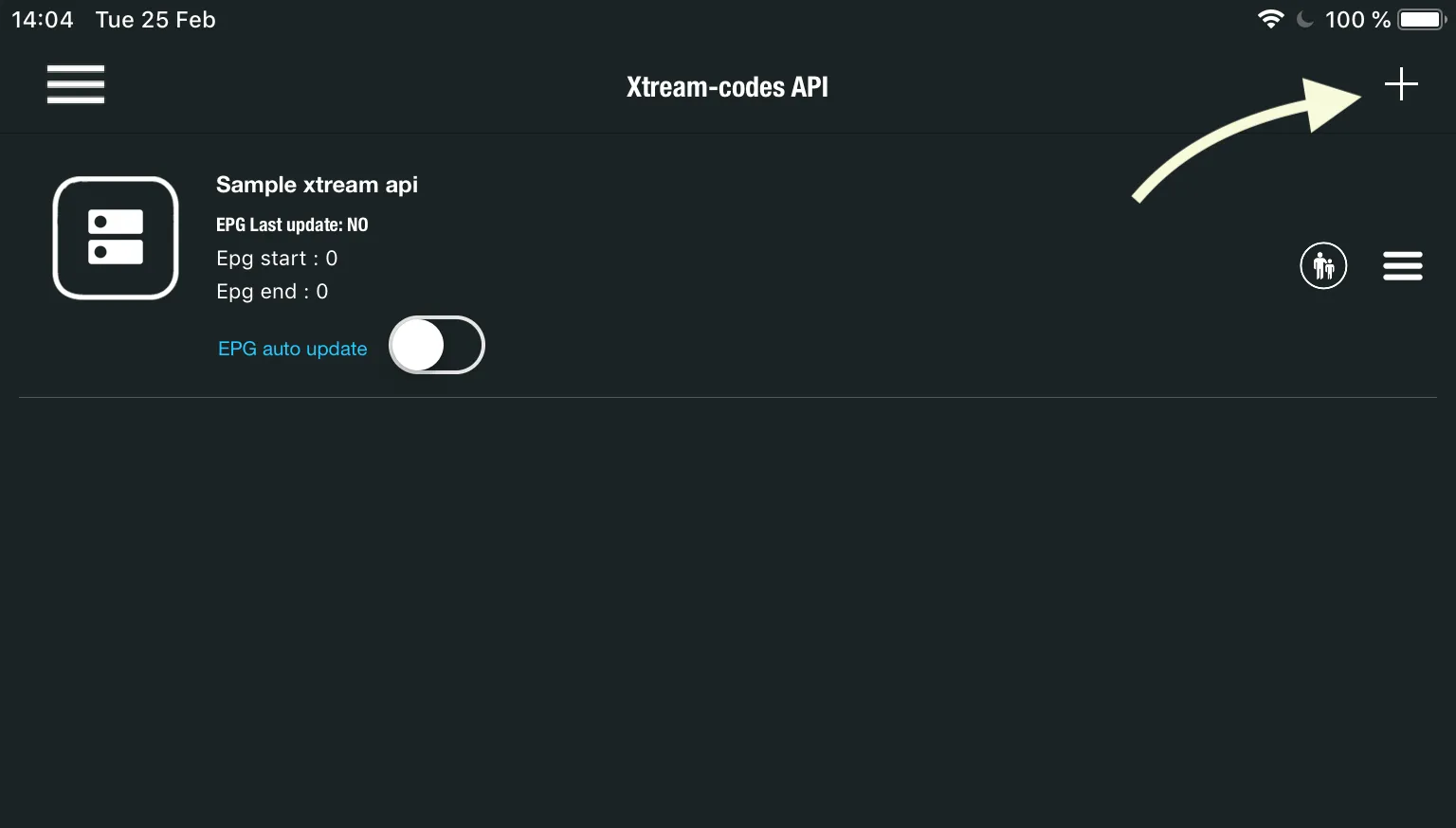
Step 2 — Add a new list
Tap the + icon to create a new Xtream Codes list.
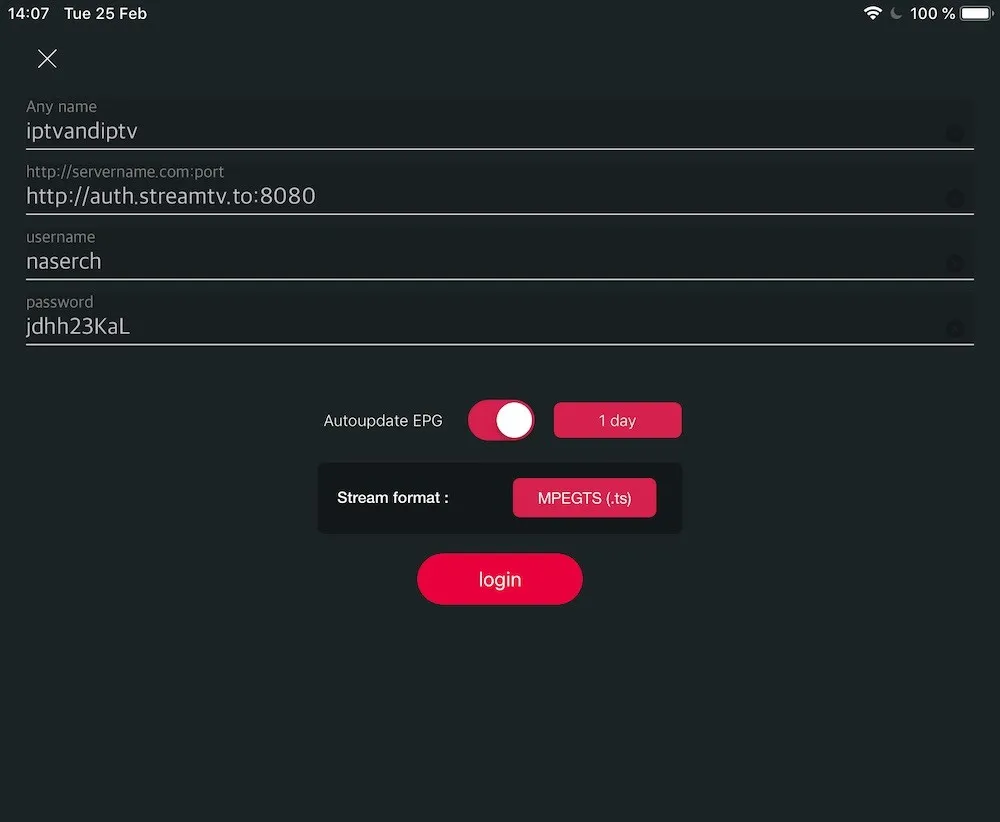
Step 3 — Enter your provider details
Fill in the Server, Username, and Password supplied by your IPTV provider. Give the list a name, turn on Auto-update EPG, then tap login.
Step 4 — Start watching
Open the list you just created to browse and play live channels and movies.
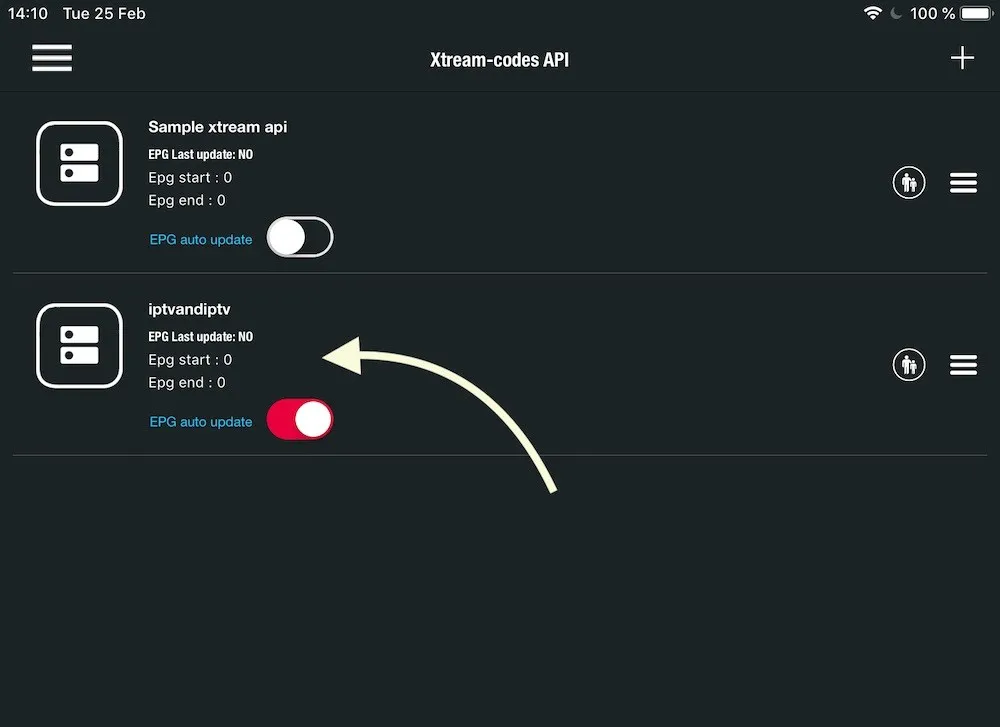
Tip: Enabling Auto-update EPG keeps your TV guide current so you always see what’s on now and next.
Frequently asked questions
Can I use an M3U link instead of Xtream Codes?
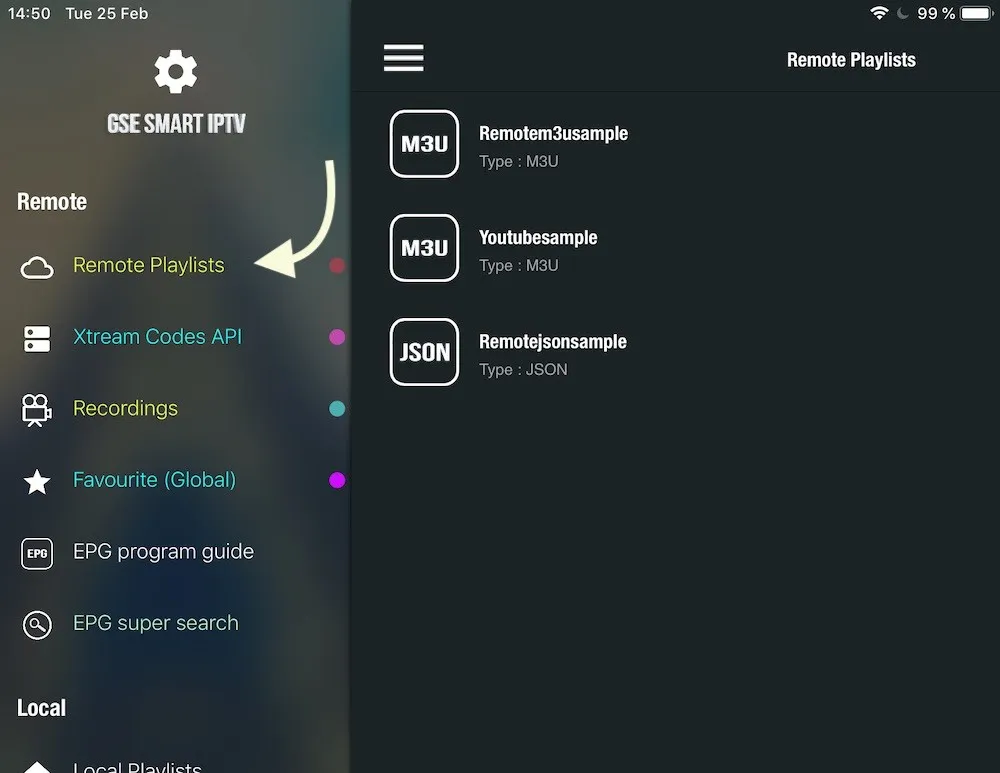
Yes. Open the Remote Playlists section, choose Add M3U URL, and paste the M3U link from your provider.
How do I record a channel?
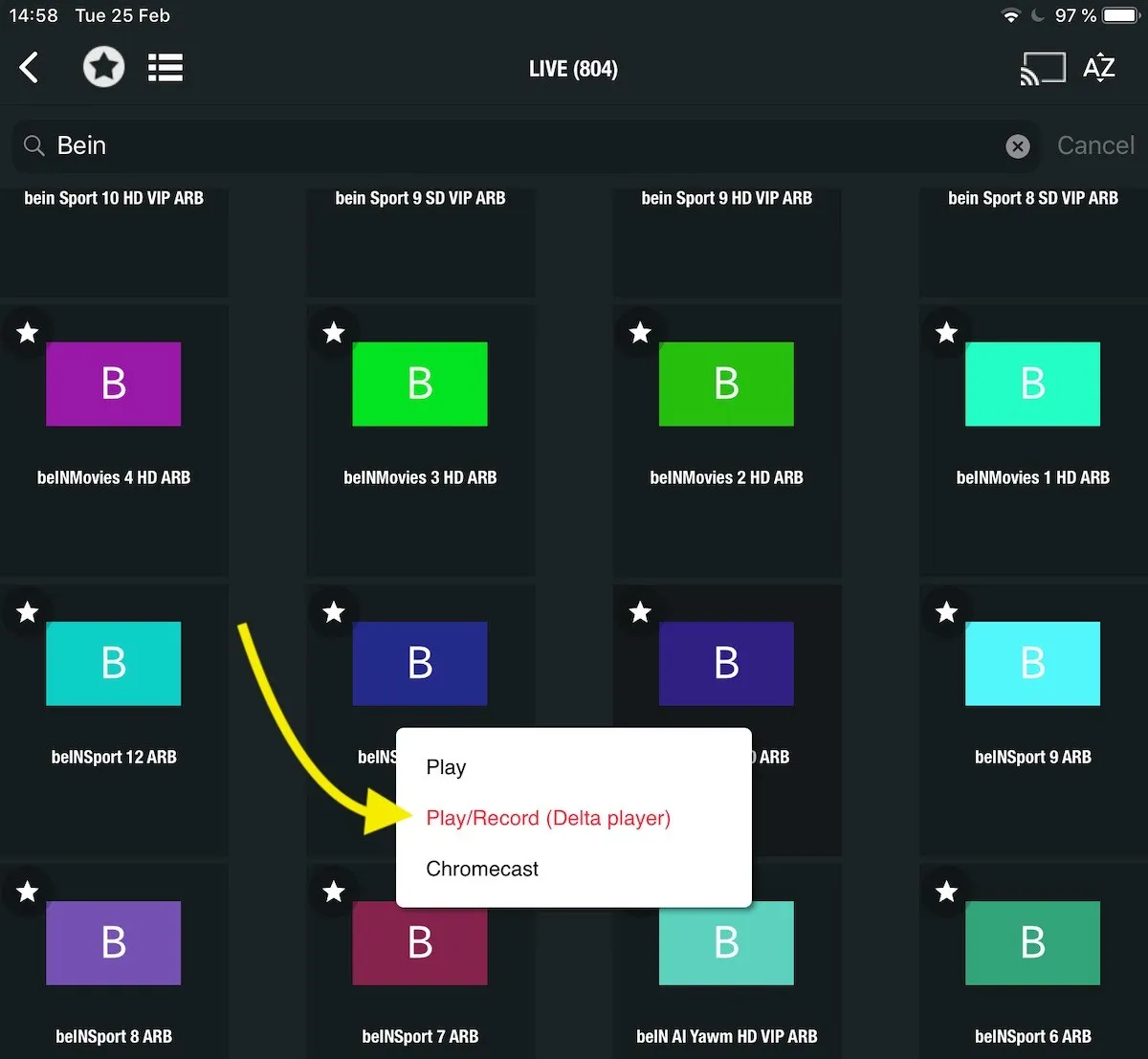
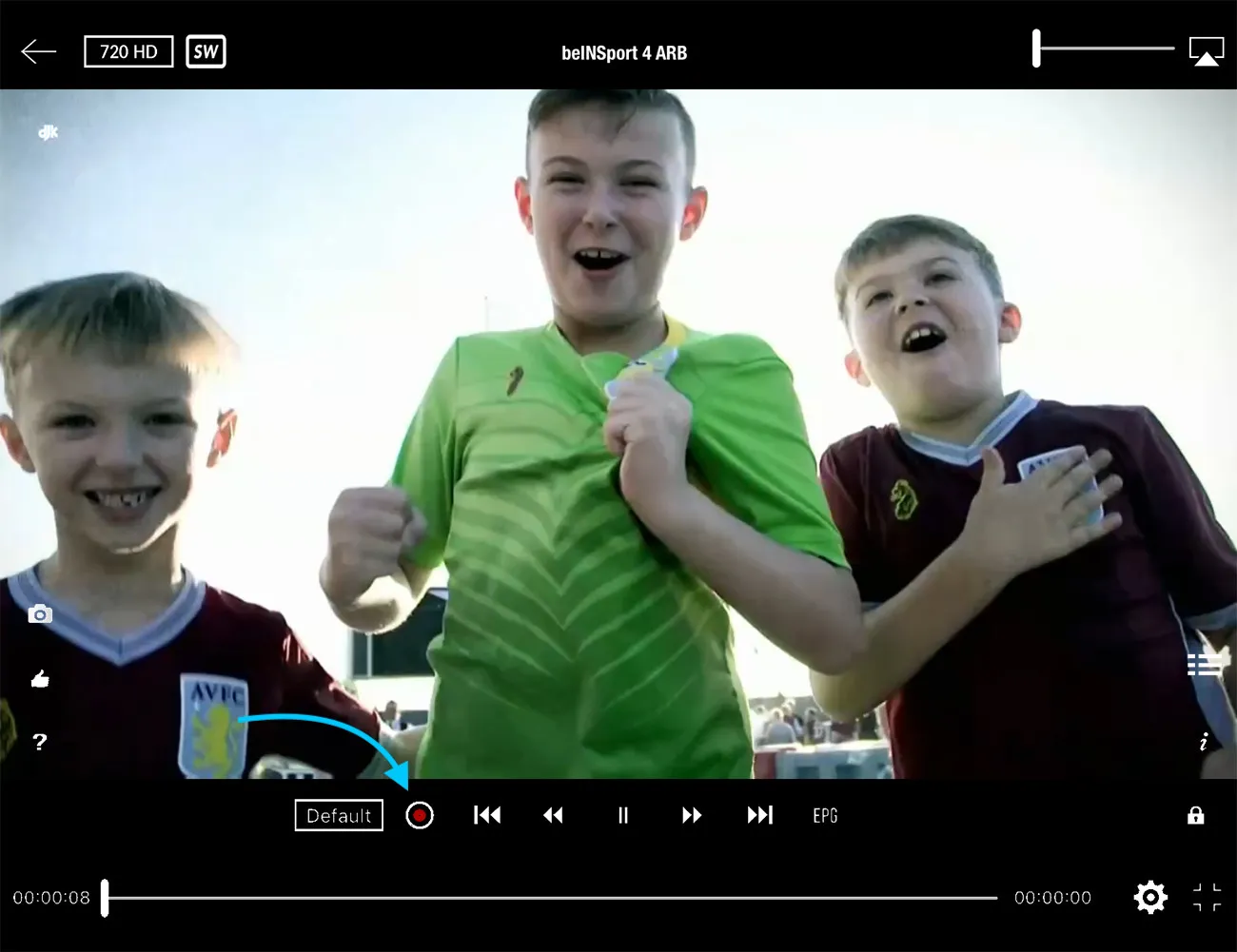
When selecting a channel, choose Play/Record. Inside the player, press the RED button to begin recording.
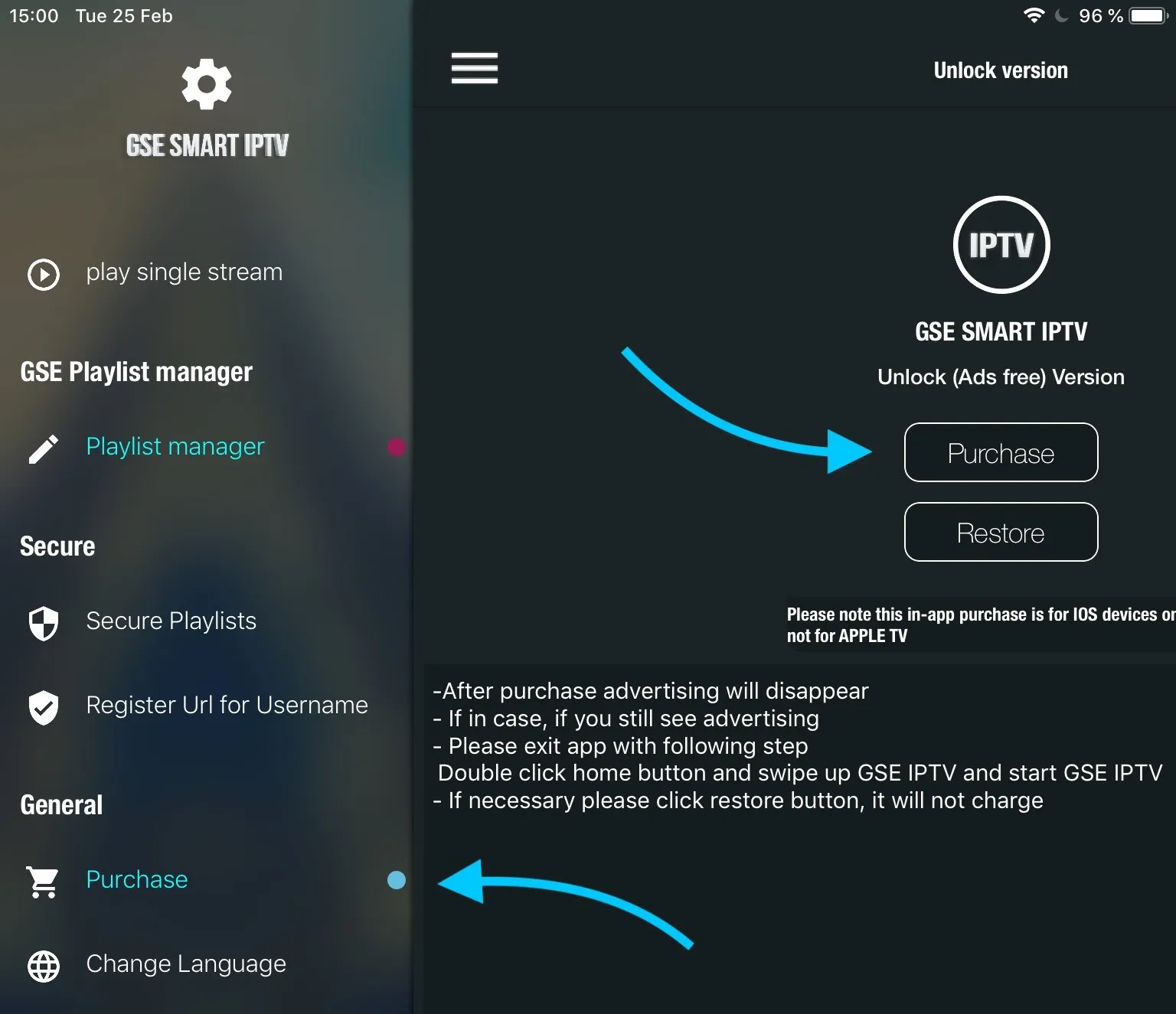
How do I remove the ads?
Open the Purchase menu in the app and buy the premium version to remove ads.
Can I cast to my TV?
Yes. Tap the Cast icon in the top-right corner to stream to any Chromecast device on the same network.