
How to Install IPTV on TVIP S-Box
Set up IPTV on the TVIP S-Box using a Stalker portal URL and MAC address. Step-by-step guide to load your channels and VOD in about 6 minutes.
The TVIP S-Box is a popular set-top box, especially in Sweden, with a built-in Stalker platform that handles your IPTV subscription channels and VOD over a MAC address connection. It works much like a MAG box and effectively emulates MAG box firmware, so the setup process is very similar.
Note: The TVIP S-Box does not include any channels. You need an active IPTV subscription to receive channels and other content.
Install IPTV on the TVIP S-Box
Time needed: 6 minutes.
- From the main menu, open Settings.
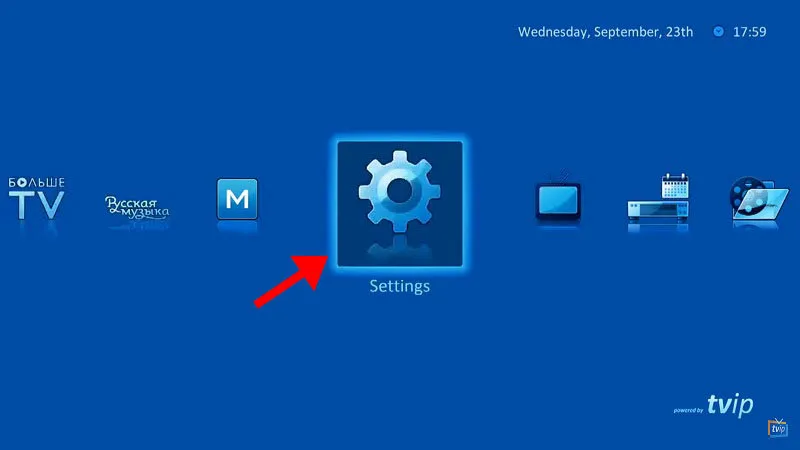
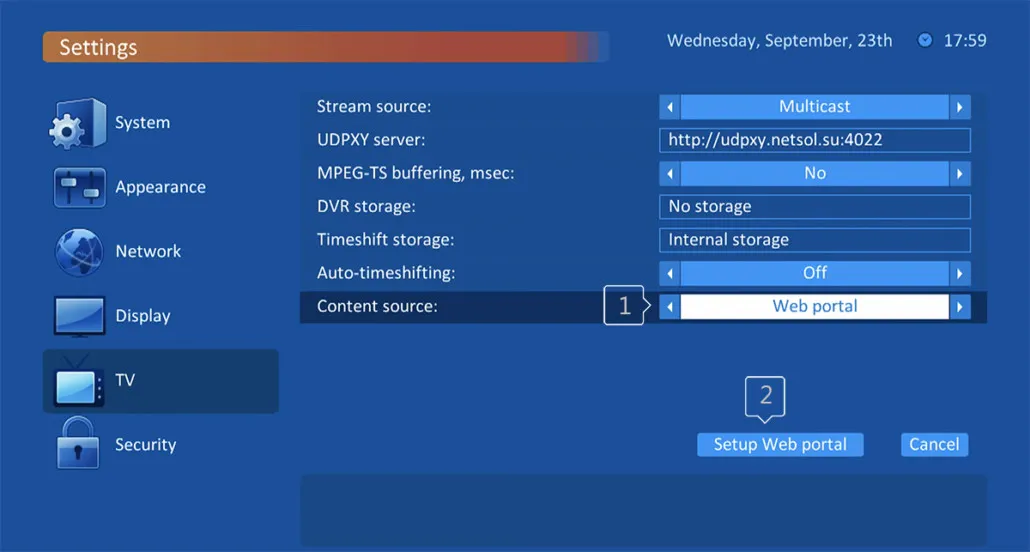
- In the right-hand menu, select the TV icon, then change the content source to Web portal and click Set up web portal.
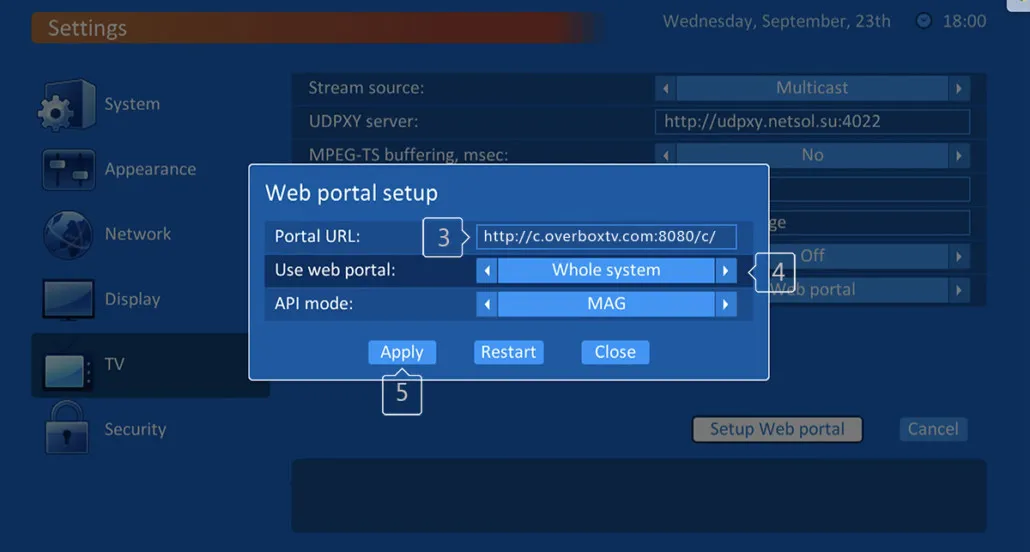
- Configure the web portal settings:
- Portal URL — enter the Stalker server address provided by your IPTV provider.
- Use Web Portal — set to Whole system.
- API mode — set to MAG (older firmware may use GSTB instead).
- Press Apply.
- After saving the portal address, wait a few minutes for the portal to load your playlist.
Attention: Your MAC address must be assigned on the provider’s server. You can register it through your client dashboard, or ask your IPTV provider to do it for you.
Frequently asked questions
Where do I get the portal URL?
The portal URL is the Stalker server address supplied by your IPTV provider. If it isn’t listed in your client dashboard, contact your provider.
Why are no channels loading?
The device’s MAC address must be registered on the provider’s server. Add it through your client dashboard or ask your provider to assign it.
What if there is no MAG option?
Older TVIP firmware uses GSTB instead of MAG. Choose GSTB in the API mode field, or update to the latest firmware.