How to Install IPTV on IPTV Smarters Pro
4.0Install and set up IPTV Smarters Pro on Android, iOS, Windows, Mac, and Fire TV using Xtream Codes or an M3U playlist. Quick step-by-step guide.
IPTV Smarters Pro is a popular, easy-to-use IPTV player built on Xtream Codes. It also supports M3U links and local playlist files, and it offers a clean, user-friendly interface. The app is available across many platforms, including Android, iOS, macOS, Windows, and Smart TVs.
Note: IPTV Smarters Pro does not include any channels. You need an active IPTV subscription, then add your provider’s credentials or M3U link to load your content.
How to set up IPTV Smarters Pro
Time needed: 6 minutes.
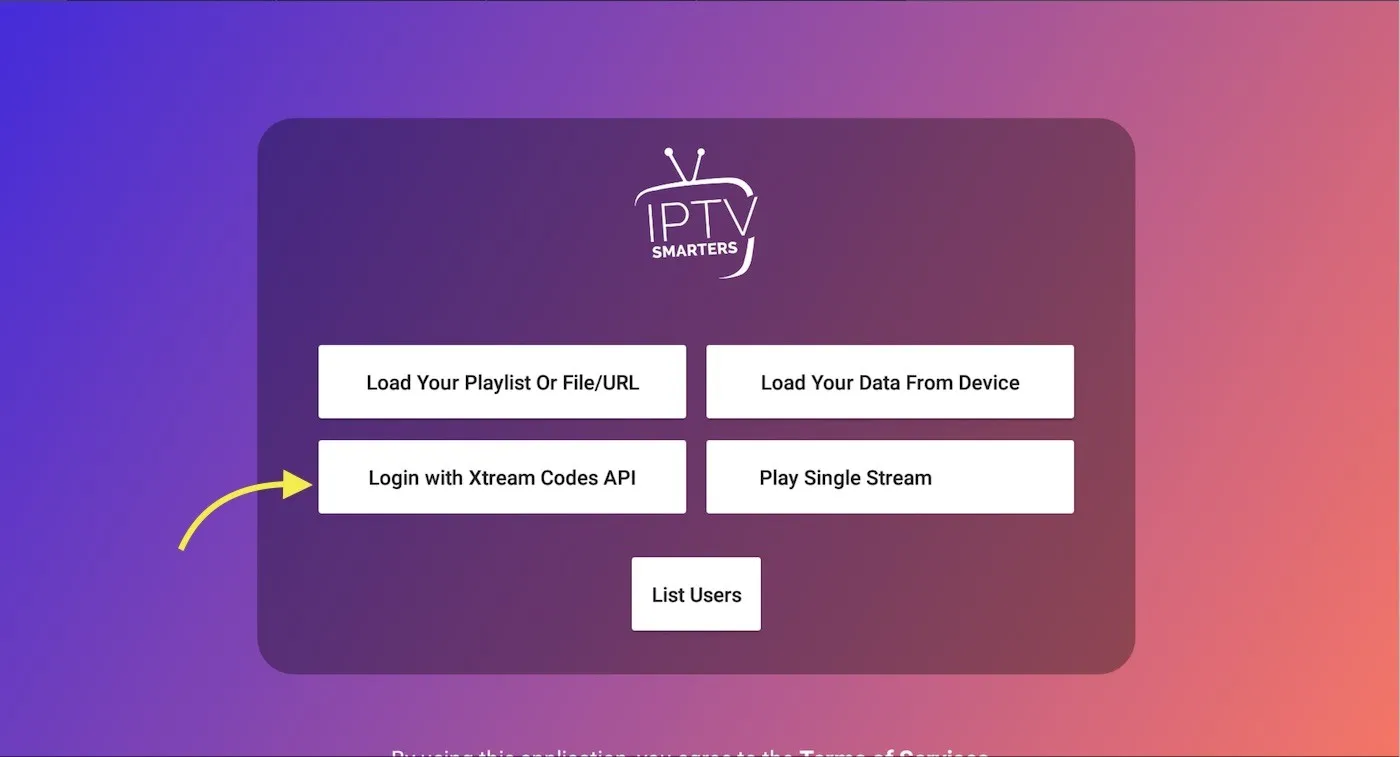
Step 1 — Choose your login type
Open the app and choose how you want to add your playlist. We recommend Login with Xtream Codes API, which is supported by more than 95% of IPTV providers.
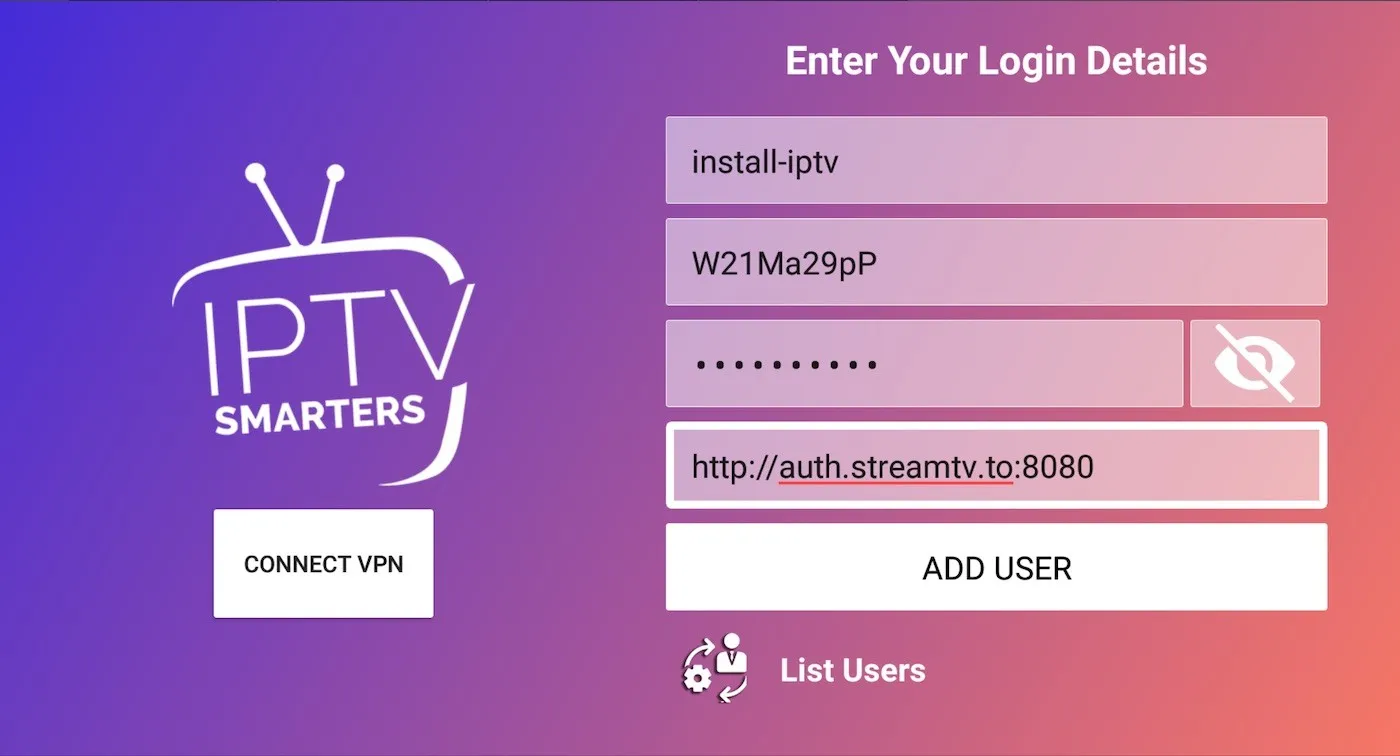
Step 2 — Enter your connection details
In the first field, type any name for your playlist. Then enter the username, password, and server URL provided by your IPTV provider, and press Add User.
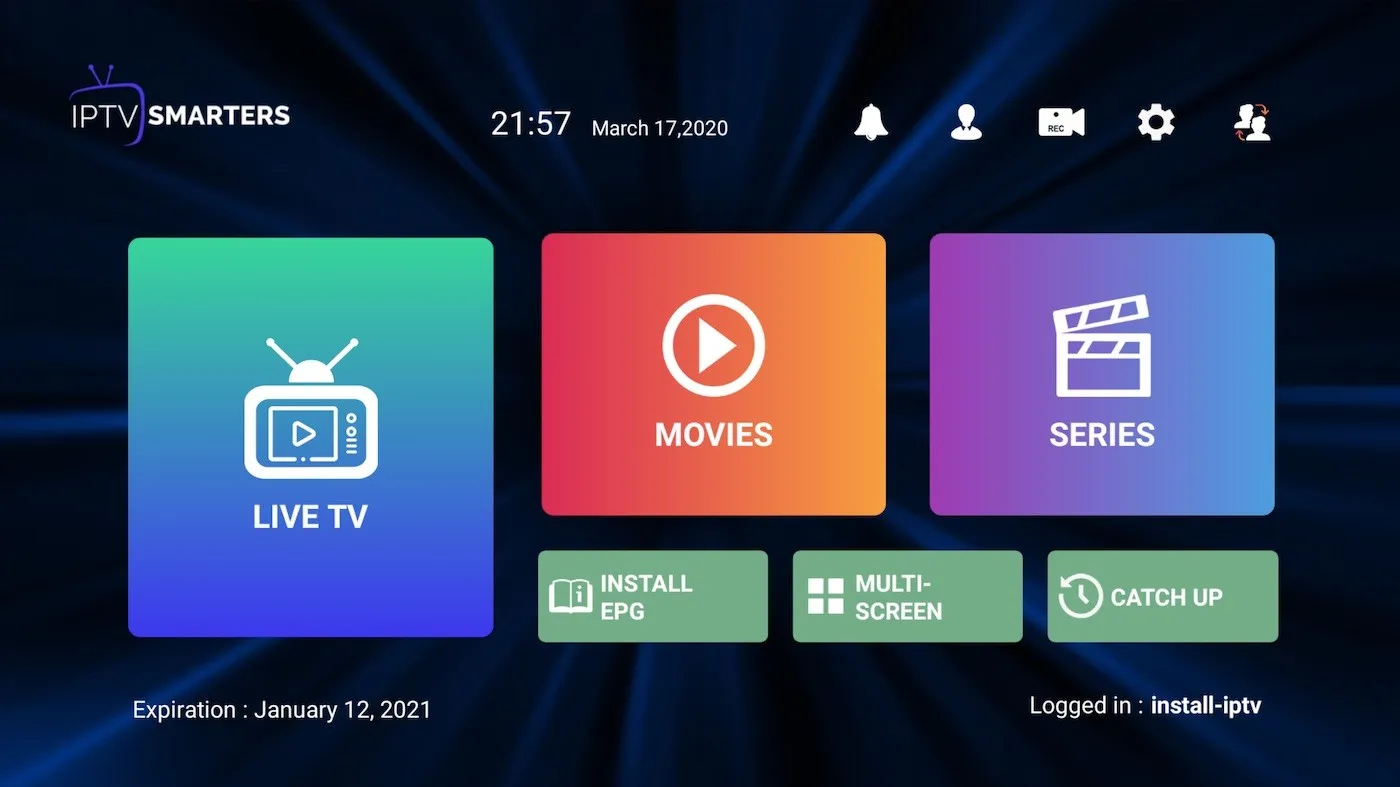
Step 3 — Start watching
After logging in successfully, you can open Live TV, Movies (VOD), and Series to browse and play your content.
How to install IPTV Smarters Pro on Fire TV / Fire Stick
- Install the Downloader app from the Amazon App Store on your Fire TV.
- Go to Settings > My Fire TV > Developer Options and enable Apps from Unknown Sources.
- Open the Downloader app and enter the install URL provided by your IPTV provider.
- Wait for the download to finish, then complete the installation.
Frequently asked questions
How do I find my Xtream Codes details?
If you only have an M3U link, you can extract the server URL, username, and password from the link’s parameters and enter them in the Xtream Codes login screen.

How do I install the app on a Fire TV Stick?
Use the Downloader app, enable Apps from Unknown Sources, then enter your provider’s install URL in Downloader to sideload the app.
Which platforms are supported?
IPTV Smarters Pro runs on Android, iOS, macOS, Windows, and Smart TVs. On Apple devices it appears in the App Store as Smarters Player Lite.