
How to Install OverBox IPTV on Android
Step-by-step guide to install OverBox IPTV on Android devices, phones, tablets and TV screens by downloading the APK and logging in with your credentials.
The OverBox IPTV application is reserved for OverBox IPTV subscribers only. It is a responsive app that adapts to all mobile phones, tablets and TV screens, so you can watch on whichever device you prefer.
How to set up OverBox IPTV on Android
- Download the APK directly from the provider’s website.
- Open the downloaded application on your Android device.
- Log in using the username and password provided by OverBox.
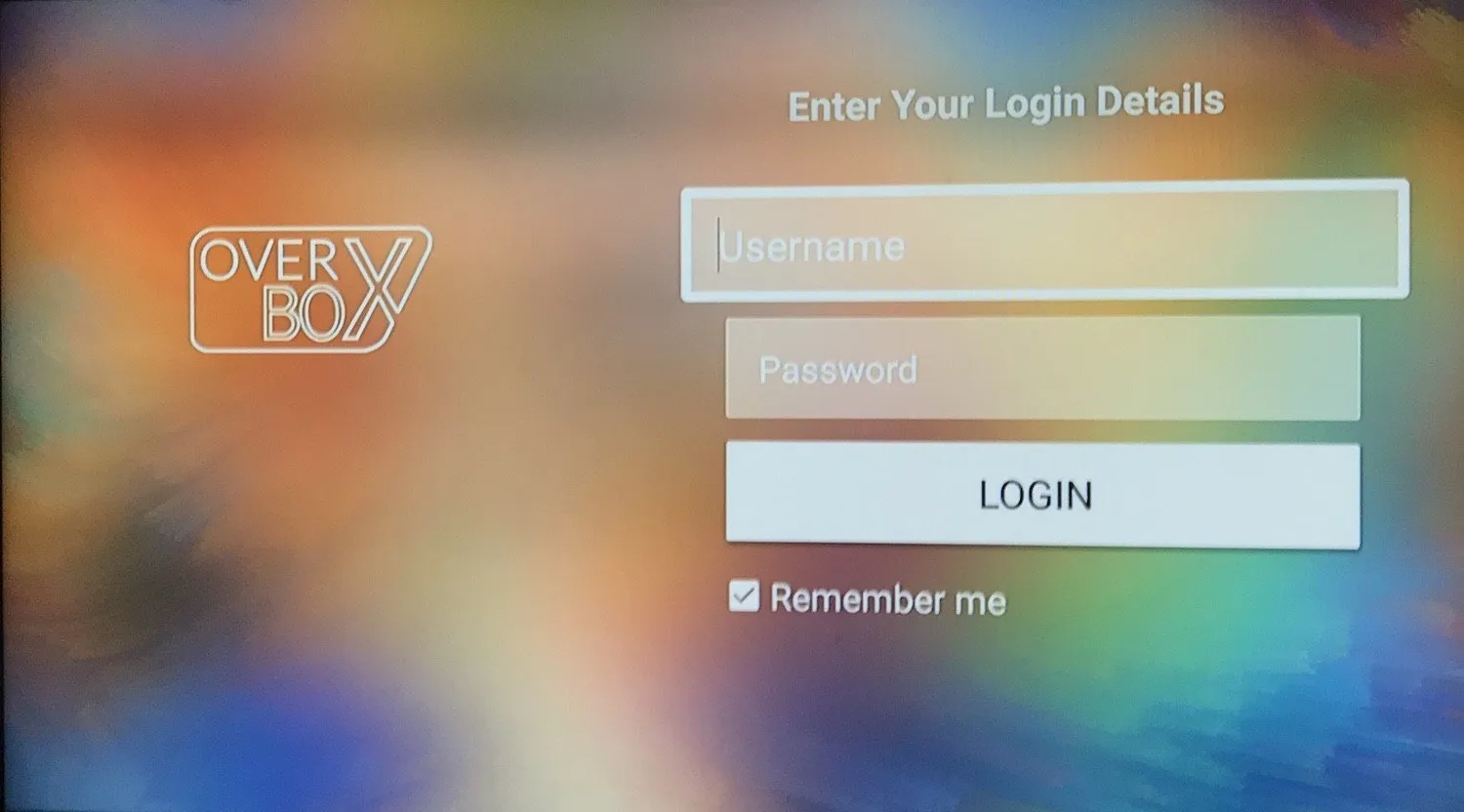
Once you are signed in, OverBox IPTV loads your full channel list with live TV sorted by country, ready to watch.

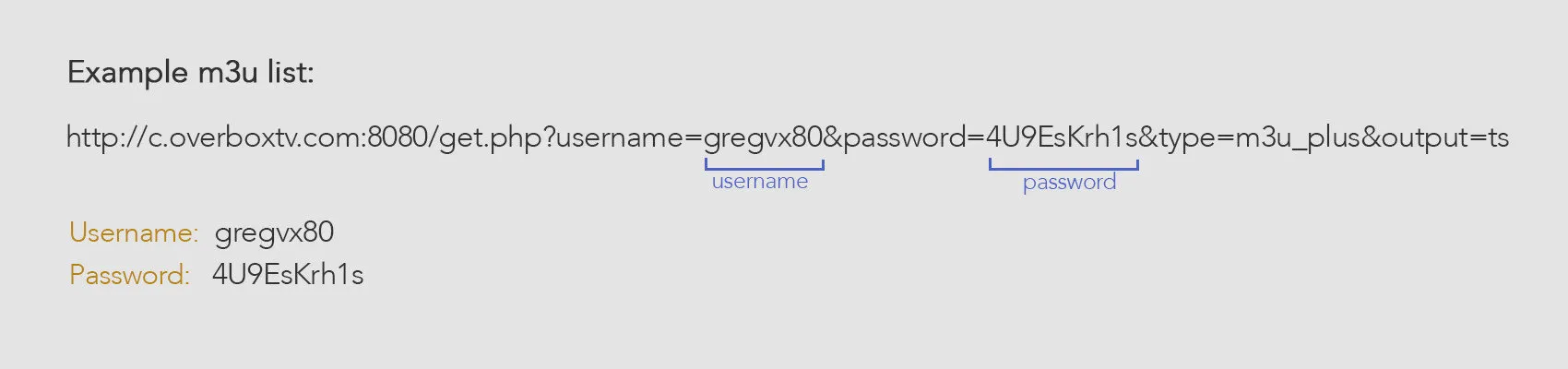
Note: If you have an OverBox M3U link but don’t know your username and password, you can extract your login details directly from the M3U link (see the FAQ below).
Frequently asked questions
What are my username and password?
If you have an OverBox M3U link but don’t know your login credentials, you can extract the username and password straight from the M3U link.
Which devices does OverBox IPTV support?
OverBox IPTV is fully responsive and works on all mobile phones, tablets and TV screens.
Who can use the OverBox IPTV app?
The OverBox IPTV application can be used by OverBox IPTV subscribers only.