How to Install and Set Up Net IPTV
3.2Install Net IPTV on Samsung, LG, Android, and Fire TV Stick. Find your MAC address, upload your M3U playlist on the Net IPTV portal, and start streaming.
Net IPTV is a lightweight IPTV player and a popular alternative to Smart IPTV. It is built for good performance and broad codec support, and it works on a wide range of devices. The app includes a 7-day free trial, after which a small one-time payment unlocks it permanently for your device.
Supported devices and how to download
- Samsung (Tizen) TVs: Download from the Samsung App Store on 2016–2019 and newer models.
- LG (WebOS) TVs: Download from the LG Content Store. WebOS 1.0–3.0 is supported, with newer WebOS versions added over time.
- Android phones and tablets: Available on the Google Play Store.
- Other Android devices: Install the APK directly.
- Amazon Fire TV Stick: Sideload it using the Downloader app with the link
install-iptv.com/net-iptv.
Pricing
After the free trial, Net IPTV offers paid activation plans (for example, a multi-year option or a one-time unlimited license) on the official Net IPTV payment page.
How to set up Net IPTV
- Install and open the app. After installing Net IPTV on your device, launch it.
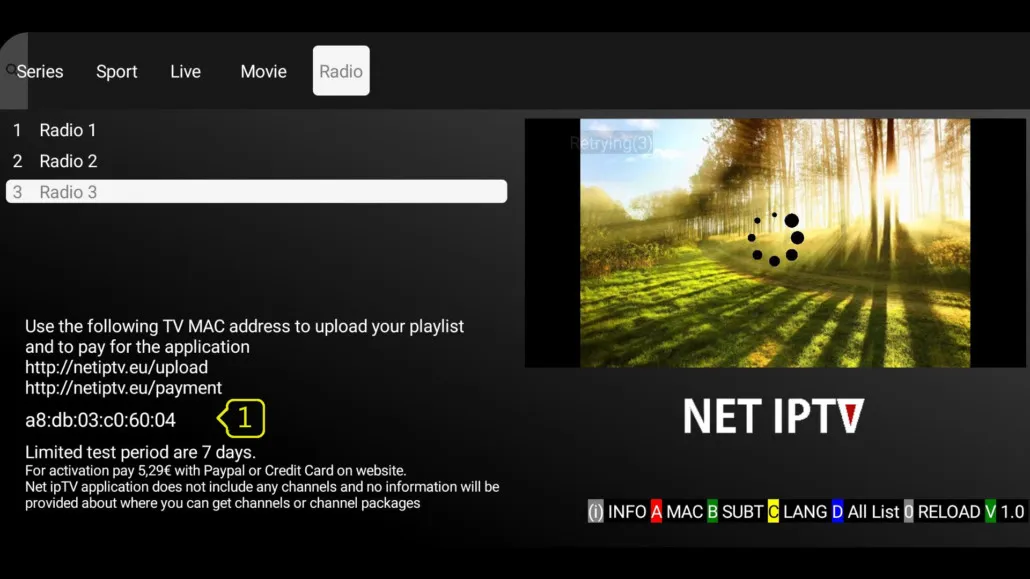
- Find your MAC address. Open the information screen (often via the red button on your remote) and note the MAC address shown there. You will need it for activation and uploading your playlist.
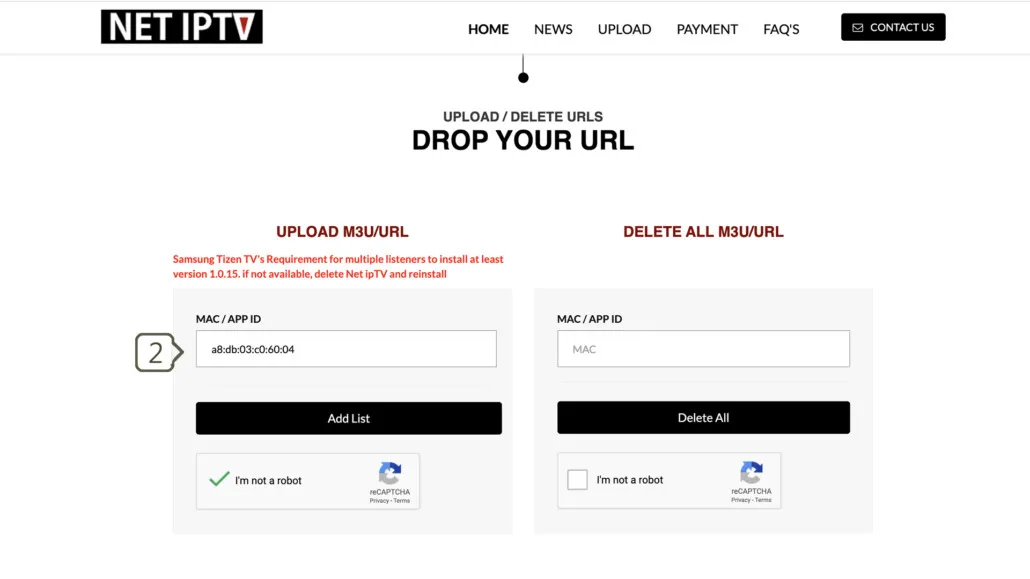
- Open the upload portal. On a computer or phone, visit the Net IPTV upload portal.
- Enter your MAC address. In the MAC / APP ID field under the “Upload M3U / URL” row, type your device’s MAC address, then press Add List.
- Add your M3U link. Paste your provider’s M3U playlist link into the URL field and click Update List.
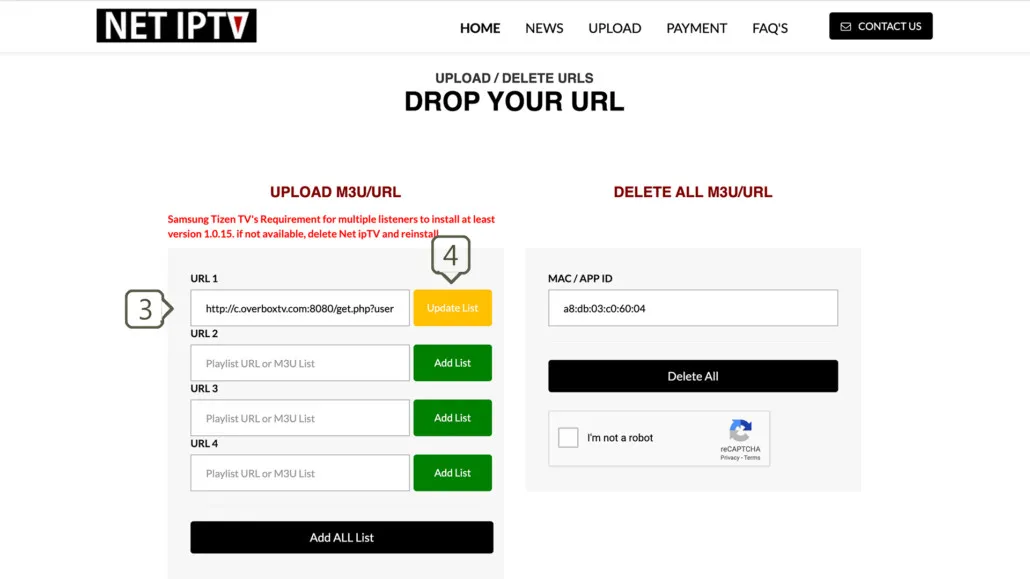 6. Reload the app. Back on your TV, press 0 on the remote (or restart the app) to refresh and load your channels.
Note: Each Net IPTV installation is tied to the device’s MAC address, so make sure you enter the exact MAC shown on the device you want to activate.
Frequently asked questions
Where do I get an M3U link?
Your IPTV provider supplies the M3U playlist, usually from their client dashboard. Copy that link and paste it into the Net IPTV upload portal.
My channels won’t load — what should I check?
Test the M3U link in VLC to confirm it is active, make sure your trial or paid activation is valid, restart your router, and re-submit the list on the portal. Then reload the app.