How to Install IPTV on Home IPTV
3.6Learn how to install IPTV on the Home IPTV app for LG and Samsung Smart TVs by adding your TV ID and M3U playlist through the Home IPTV portal.
Home IPTV is a free IPTV player for Smart TVs. It works on LG (webOS) and Samsung (Tizen OS) televisions and lets you watch live channels and video on demand from your IPTV subscription. Like most Smart TV players, it is a player only and does not include any channels or movies of its own — you supply your own content using an M3U playlist from your IPTV provider.
Important: Home IPTV is no longer supported by its developer and may stop working without notice. If you run into problems, consider an actively maintained alternative such as Smart IPTV (SIPTV) or Smart STB.
Before you start
You will need:
- A compatible LG or Samsung Smart TV
- A stable internet connection
- An active IPTV subscription and its M3U link
Download Home IPTV
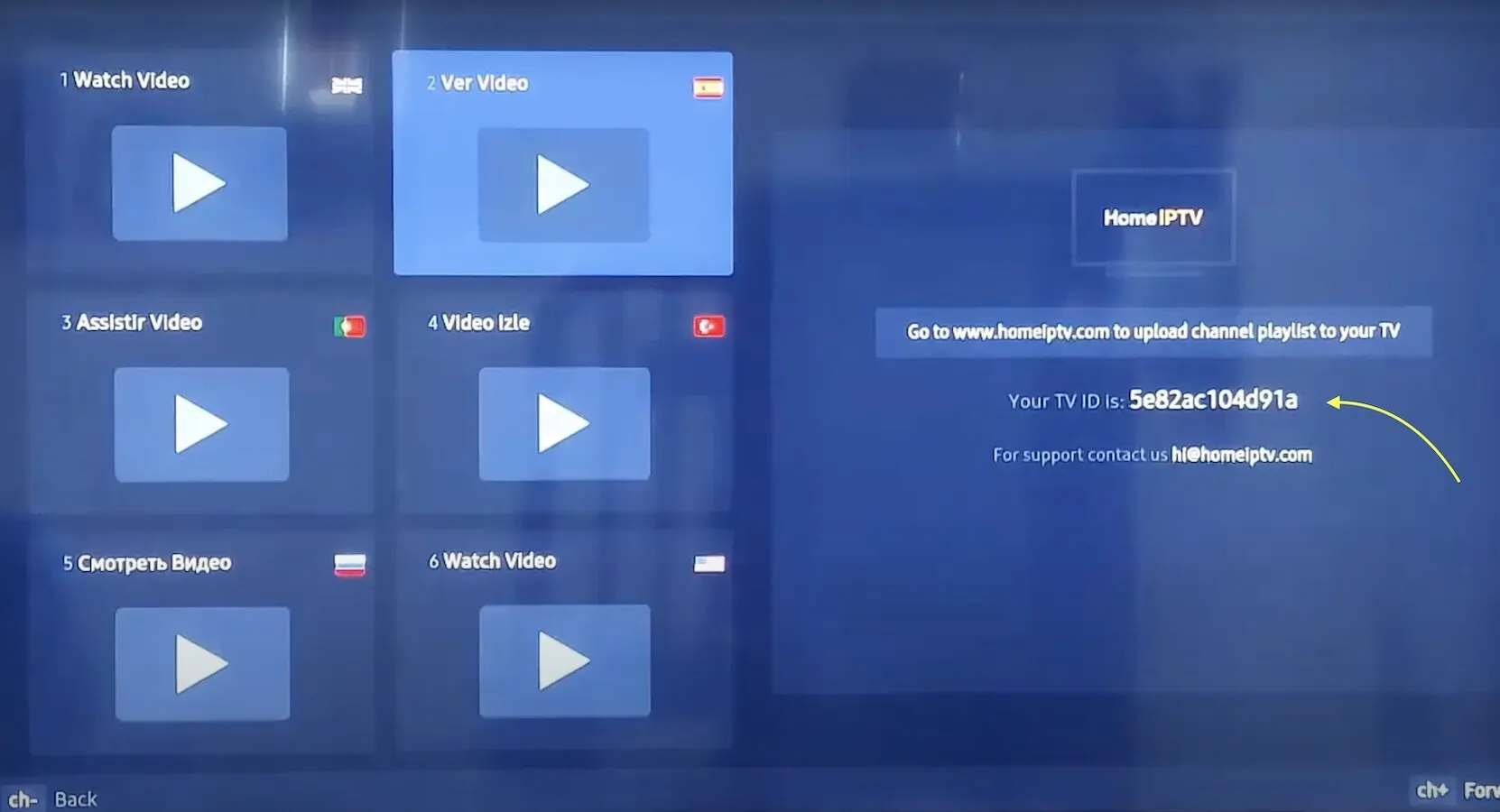
Open your TV’s application store, search for Home IPTV, and install it. When you launch the app for the first time, it displays a unique TV ID. Keep this ID handy — you will need it to load your playlist.
Install your IPTV playlist on Home IPTV
- Launch the Home IPTV app and note your TV ID shown on screen.
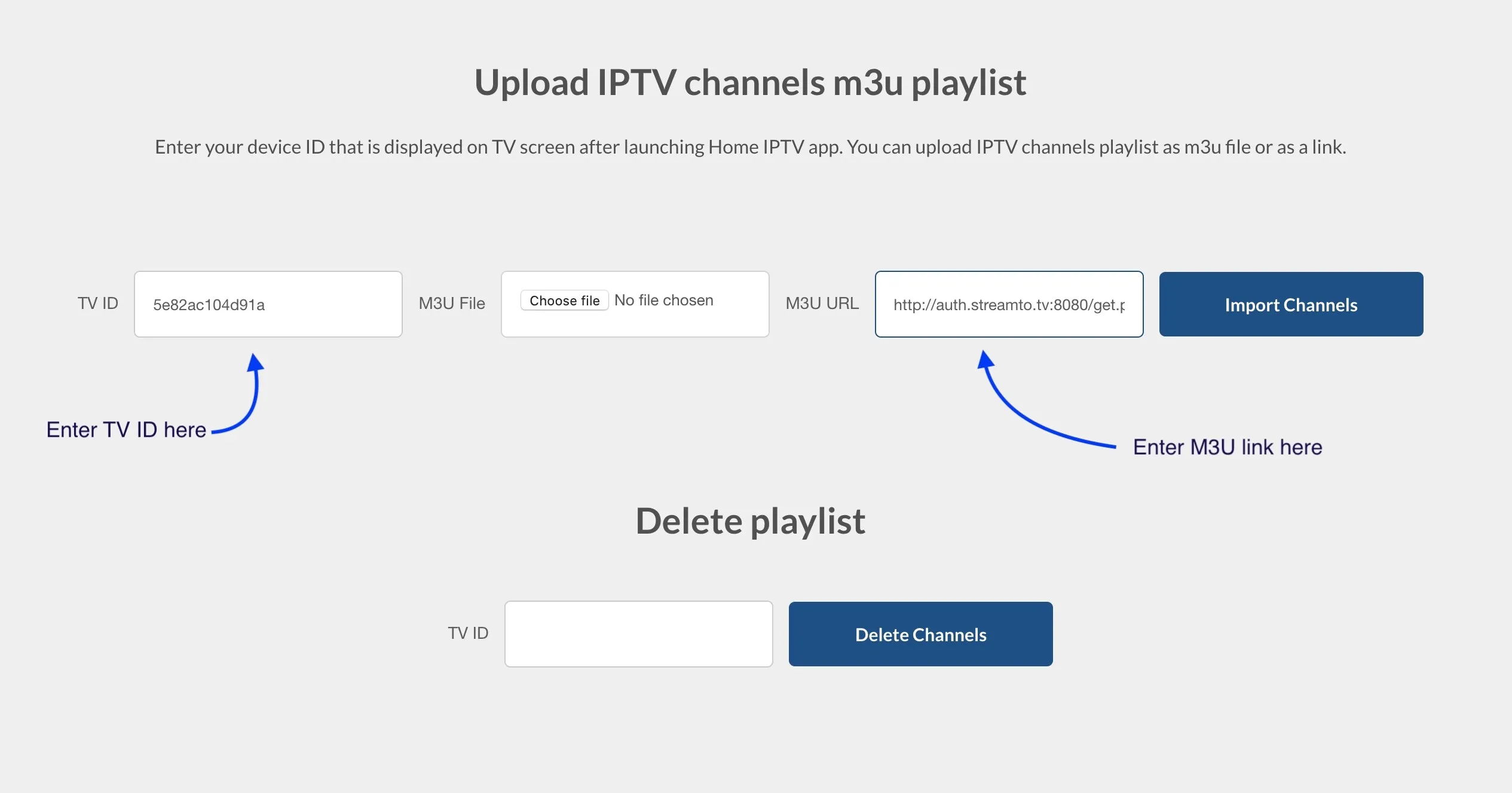
- On a computer or phone, open the Home IPTV upload portal at homeiptv.com.
- Enter your TV ID and paste the M3U link provided by your IPTV service.
- Click Import Channels to load your subscription into the app.
- Return to the TV and reload the app — your channels and VOD should now appear.
Tip: If your channel list does not update, restart the app or reopen the portal and re-import the playlist. Make sure the M3U link is current and has not expired.
Frequently asked questions
Why is my playlist empty after importing?
Double-check that you entered the correct TV ID and a valid, non-expired M3U link. Reload the app after importing. If it still fails, your subscription link may need to be refreshed by your provider.
Can I use Home IPTV without a subscription?
No. The app provides no channels on its own. You must have an active IPTV subscription that supplies the M3U playlist.
Are there better alternatives?
Because Home IPTV is discontinued, apps like Smart IPTV and Smart STB are more reliable choices on LG and Samsung Smart TVs and receive regular updates.