
How to Install IPTV on SET IPTV
3.5Install SET IPTV on Samsung Smart TV (Tizen) and Android. Load your playlist with your MAC address via M3U or Xtream Codes, the recommended method for EPG.
SET IPTV is a modern IPTV application for Samsung Smart TVs (Tizen OS) and Android devices. It’s simple to set up, has efficient video decoding, and supports both the M3U and Xtream Codes connection methods. SET IPTV comes with a 7-day free trial; after that, a one-time payment of €14.99 unlocks the app permanently through the developer portal.
Download SET IPTV
- Samsung Smart TV (Tizen): search for “SET IPTV” in your TV’s app store.
- Android: download it from the official link at
https://install-iptv.com/setiptv.
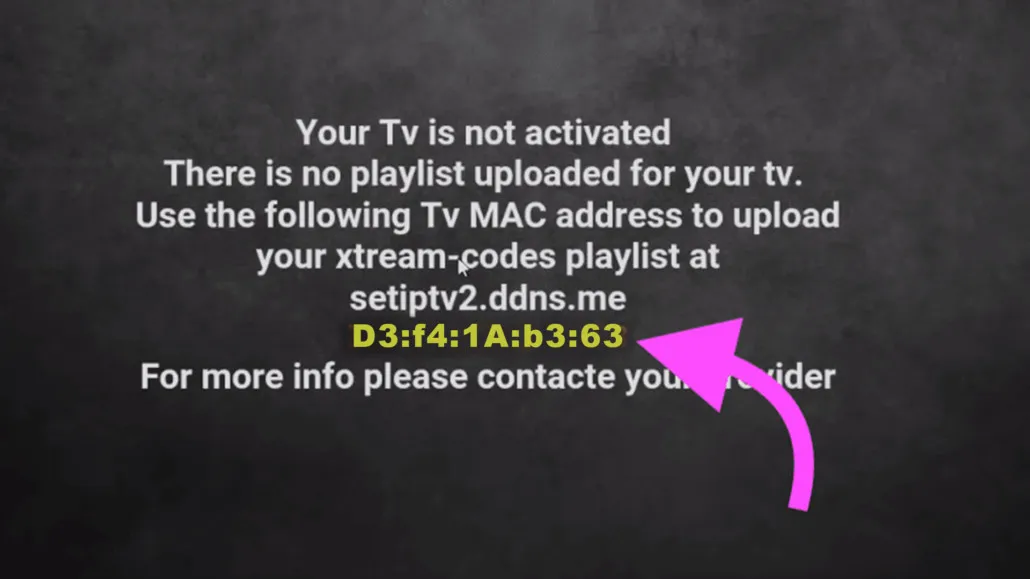
When you open the app, your MAC address is shown on screen — you’ll need it to upload your playlist.
Method 1 — Install with an M3U link
- Open SET IPTV and note the MAC address displayed on screen.
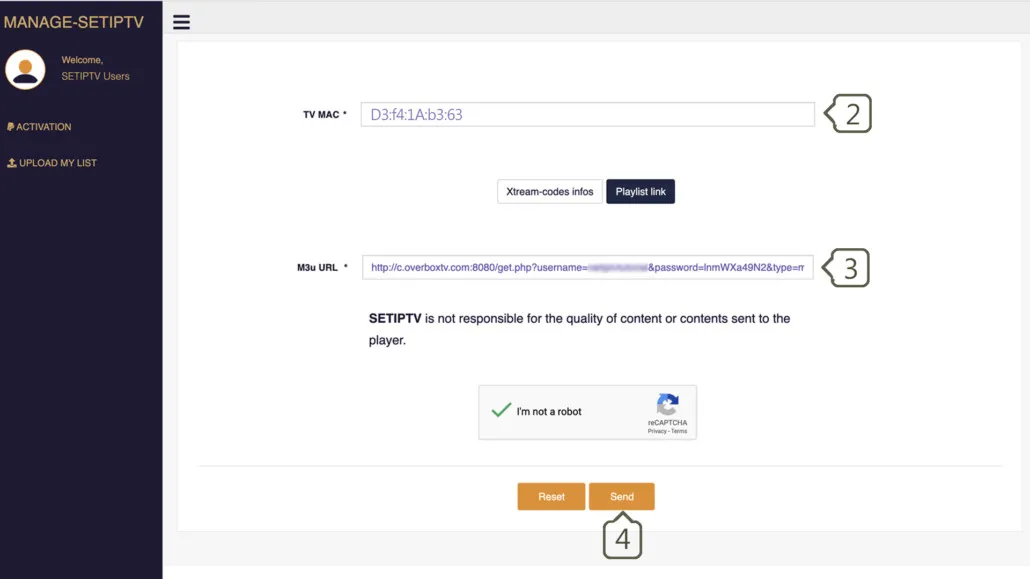
- On a computer or phone, go to the upload portal at
https://setsysteme.com/set.appand choose the Playlist (M3U) method. - Enter your MAC address in the TV MAC field.
- Paste the M3U link from your IPTV provider into the M3U URL field.
- Complete the CAPTCHA, click Send, then restart the app.
A valid M3U link from your provider follows this structure — schema, host, port, username, and password:

Note: The M3U method does not load full EPG data. If you want the TV guide, use the Xtream Codes method below.
Method 2 — Install with Xtream Codes (recommended)
This method also loads your EPG (TV guide). You’ll need the following details from your provider:
- Server URL (including the scheme, host, and port)
- Username
- Password
Steps:
- Open SET IPTV and note your MAC address.
- Go to
https://cms.manage-setiptv.com/paneliptv/set.appand choose the Xtream Codes method. - Enter your MAC address in the TV MAC field.
- Enter the Xtream Codes credentials (server, username, password) from your provider.
- Complete the CAPTCHA, click Send, then restart the app to load your channels and guide.
Frequently asked questions
Why doesn’t SET IPTV load the EPG?
The EPG (TV guide) only loads when you connect using the Xtream Codes method. A plain M3U link won’t pull in the full guide data.
Can I use an external player?
No. SET IPTV currently has no external player option, so playback always uses the built-in player.
How do I activate after the trial?
SET IPTV gives you a 7-day free trial. After it ends, pay the one-time €14.99 activation fee through the developer portal to keep using the app.