
How to Install IPTV on Smart IPTV
3.6Install Smart IPTV (SIPTV) on LG, Samsung and Sony Smart TVs — find your MAC address and load your M3U playlist via the SIPTV portal in 5 minutes.
Smart IPTV (SIPTV) is a universal app compatible with the major Smart TV brands — LG, Samsung and Sony. It plays OTT and IPTV streams on smart televisions, is frequently updated, and supports EPG, Picons, and channel grouping. You only need a compatible Smart TV and an internet connection.
Note: Smart IPTV does not include any channels — you must add your own M3U playlist from an IPTV provider. There is a free 7-day trial, after which activation costs €5.49 via in-app purchase or at siptv.eu.
Download Smart IPTV
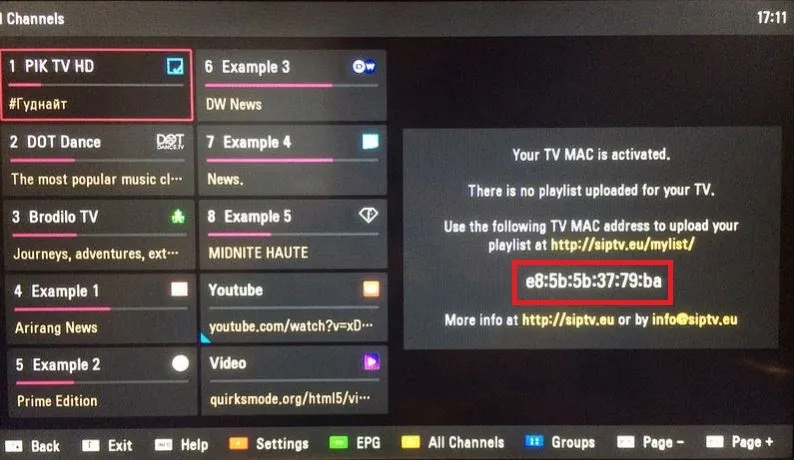
Install the app from your TV’s application store. When you open it, the screen shows your TV’s MAC address.

Find your MAC address
After installing, open the app and you’ll see a screen containing your TV MAC address. If you already have a channel list loaded, open the settings (usually the red button on the remote) to find the MAC ID.
Install your IPTV playlist on Smart IPTV
Time needed: 5 minutes.
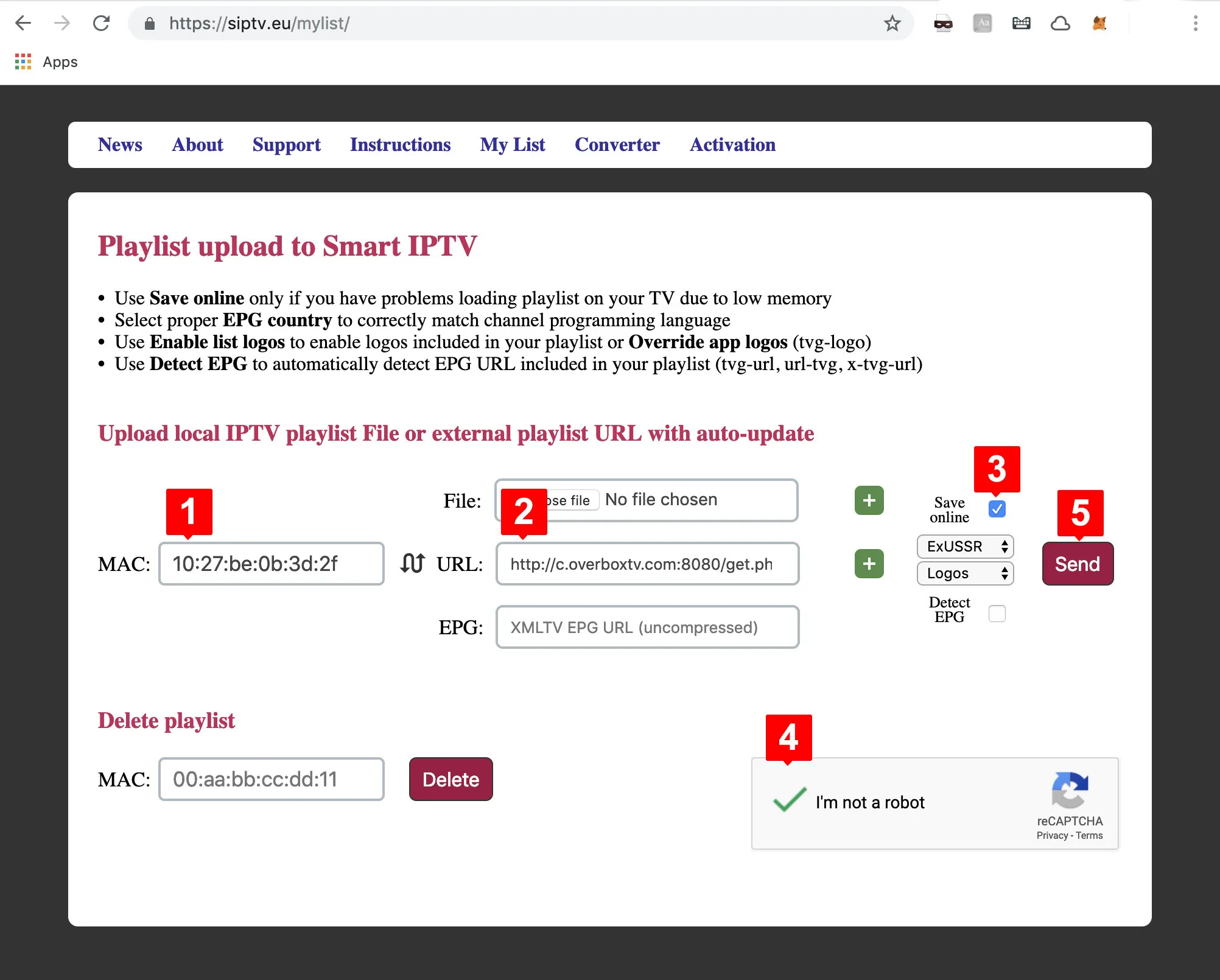
- Go to siptv.eu/mylist/ in an internet browser.
- Enter your TV MAC address in the MAC field.
- Paste the M3U link from your IPTV provider into the URL field.
- Tick save online if you have RAM limitations on an older TV.
- Complete the captcha, click Send, then return to Smart IPTV and reload the list (usually by pressing 0 on the remote).
Frequently asked questions
I can’t find my MAC address
Open Smart IPTV settings with the remote (usually the red button). The MAC ID appears in the settings menu.
My channel list won’t load (URL error)
This happens with very large playlists (many channels and VOD). Reduce the playlist size in your IPTV provider dashboard and resubmit it.
How do I delete an expired playlist?
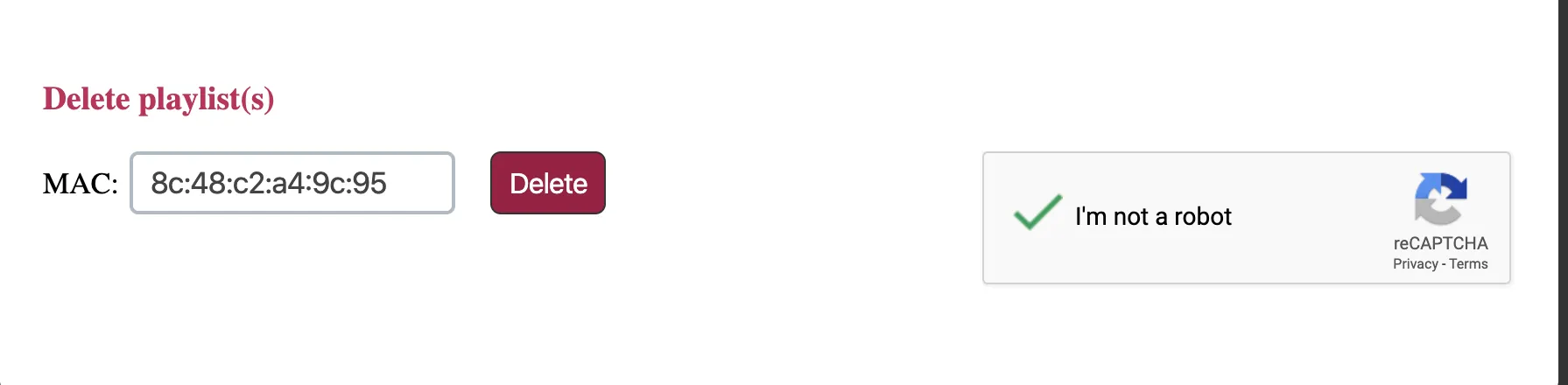
Go to siptv.eu/mylist/, enter your MAC address in the Delete section, solve the captcha, and click Delete.
Are there alternative apps?
Yes — depending on your device, there are other apps for Android TV, Samsung (Tizen OS) and LG (webOS).
Remote control quick reference
LG (webOS):
- P+/P-, Arrows — switch pages, groups, channels, videos
- OK / Wheel — load the channel list in play mode
- 0 — reload playlist; previous channel in play mode
- BACK — hide the channel list and info bar
- RED — select audio track; GREEN — EPG; YELLOW — all channels; BLUE — groups / settings
Samsung (Tizen):
- P+/P-, Arrows — switch pages, groups, channels, videos
- SELECT (OK) / CH LIST — load the channel list in play mode
- RETURN — hide the channel list and info bar; EXIT — close the app
- AD/SUBT — change subtitle track; RED — settings / audio track; GREEN/GUIDE — EPG; BLUE — groups